
Have you ever paid for a "Premium" subscription and still sat through three ads in a row before your podcast even started? Because I have.
For me, the breaking point wasn't at my desk. It was in the car.
I was already paying for Spotify Premium, yet podcasts still hit me with 2–3 ads back-to-back. Switching to TuneIn Radio for live radio wasn't any better: tap one station and you get a pre-roll ad, a banner, and a "go Premium" nag before a single second of music plays. Annoying on a phone. Exhausting on Android Auto, with your hands on the wheel.
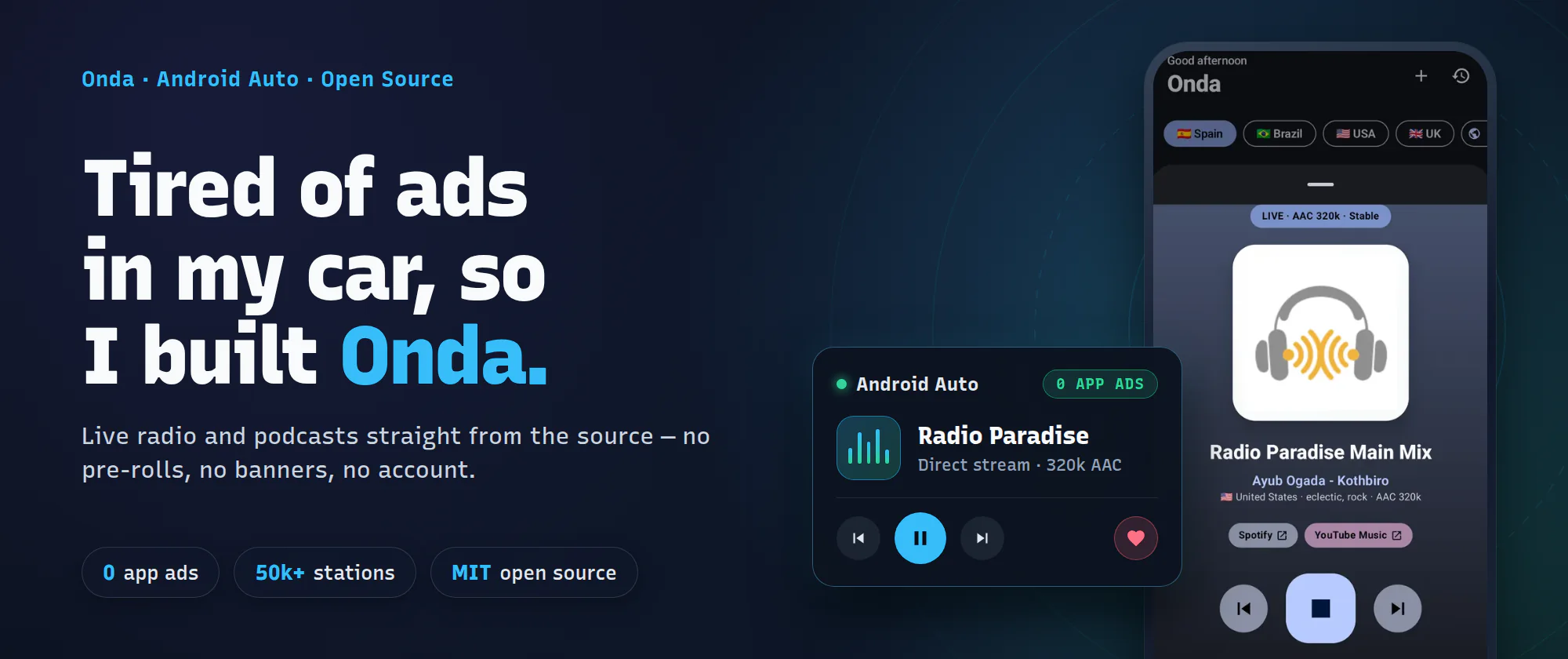
So I built Onda: a native Android radio and podcast app with zero app ads, proper Android Auto support, and an MIT license so anyone can read the code or install it. No backend. No account. No tracking.
How it actually skips the ads
So let's get to the grain here: Onda isn't reverse-engineering TuneIn or patching Spotify. It doesn't need to.
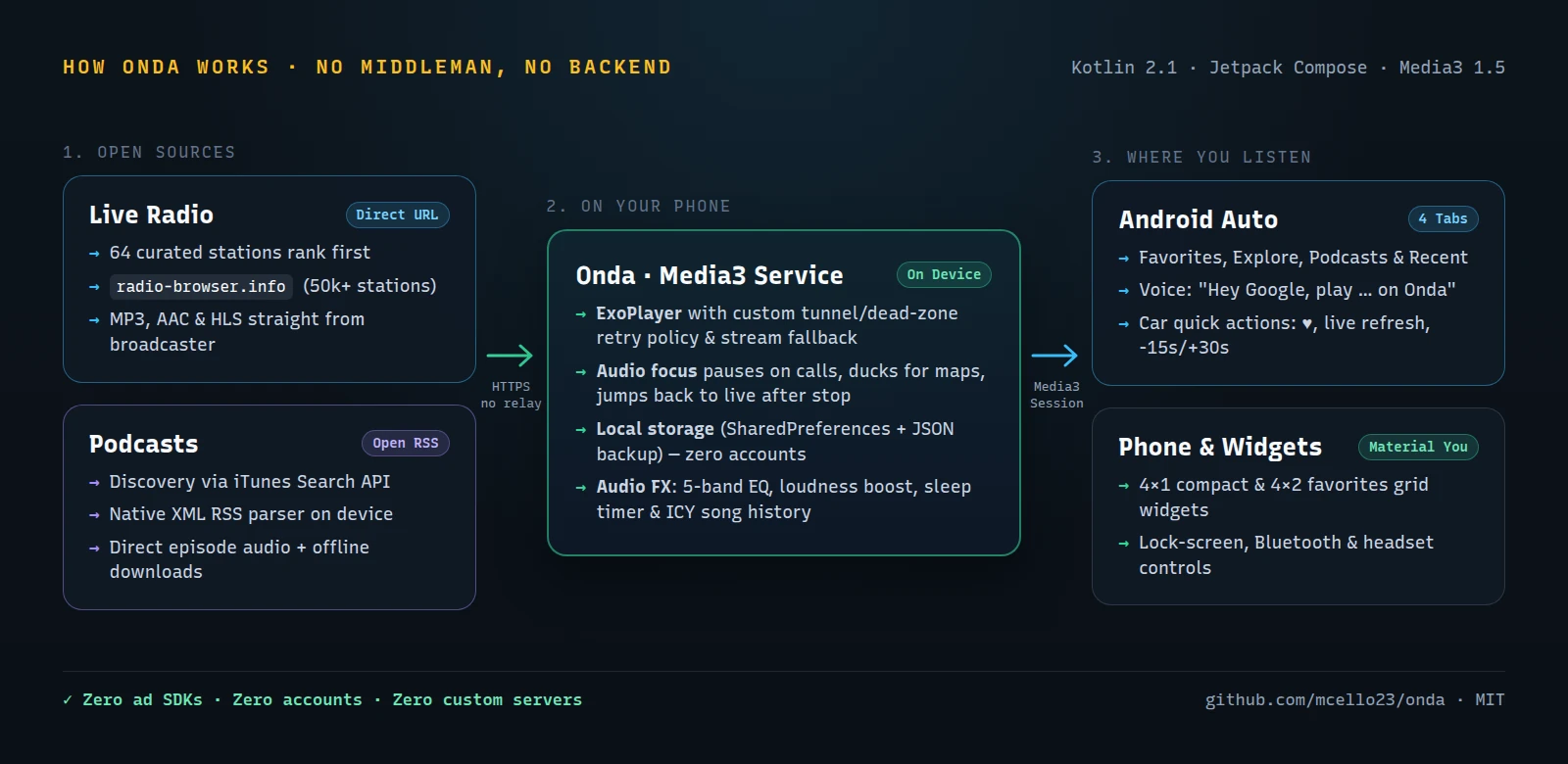
Most radio aggregators just relay public streams that broadcasters already serve — and park an ad SDK in front of them. Onda cuts out the middleman:
Live radio → 64 curated stations + radio-browser.info (50,000+ stations) → broadcaster's direct stream (MP3 / AAC / HLS)
Podcasts   → iTunes Search API → native RSS parser → creator's direct audio file (streaming or offline)
For radio, 64 hand-picked stations (Spain, Brazil, the US, the UK, plus global rock) rank first, backed by radio-browser.info — an open, community-run directory with no API key, no ads, and dead streams hidden. For podcasts, Onda finds shows via iTunes Search and parses the public RSS feed right on your phone. Everything runs locally in Kotlin 2.1, Jetpack Compose, and Media3 ExoPlayer inside a MediaLibraryService.
"Wait — does that mean you never hear an ad again?" Not quite. If an FM station cuts to its own on-air break (or bakes server-side ads straight into the live stream), Onda still plays the broadcast — you can't edit live audio on the fly. What's gone is 100% of the app-layer noise: zero pre-rolls on tap, zero banners, zero "go Premium" popups, and no Spotify ad wrapper around open podcast RSS feeds.
What's inside (phone and car)
I wanted something I'd actually reach for every day, not a weekend toy.
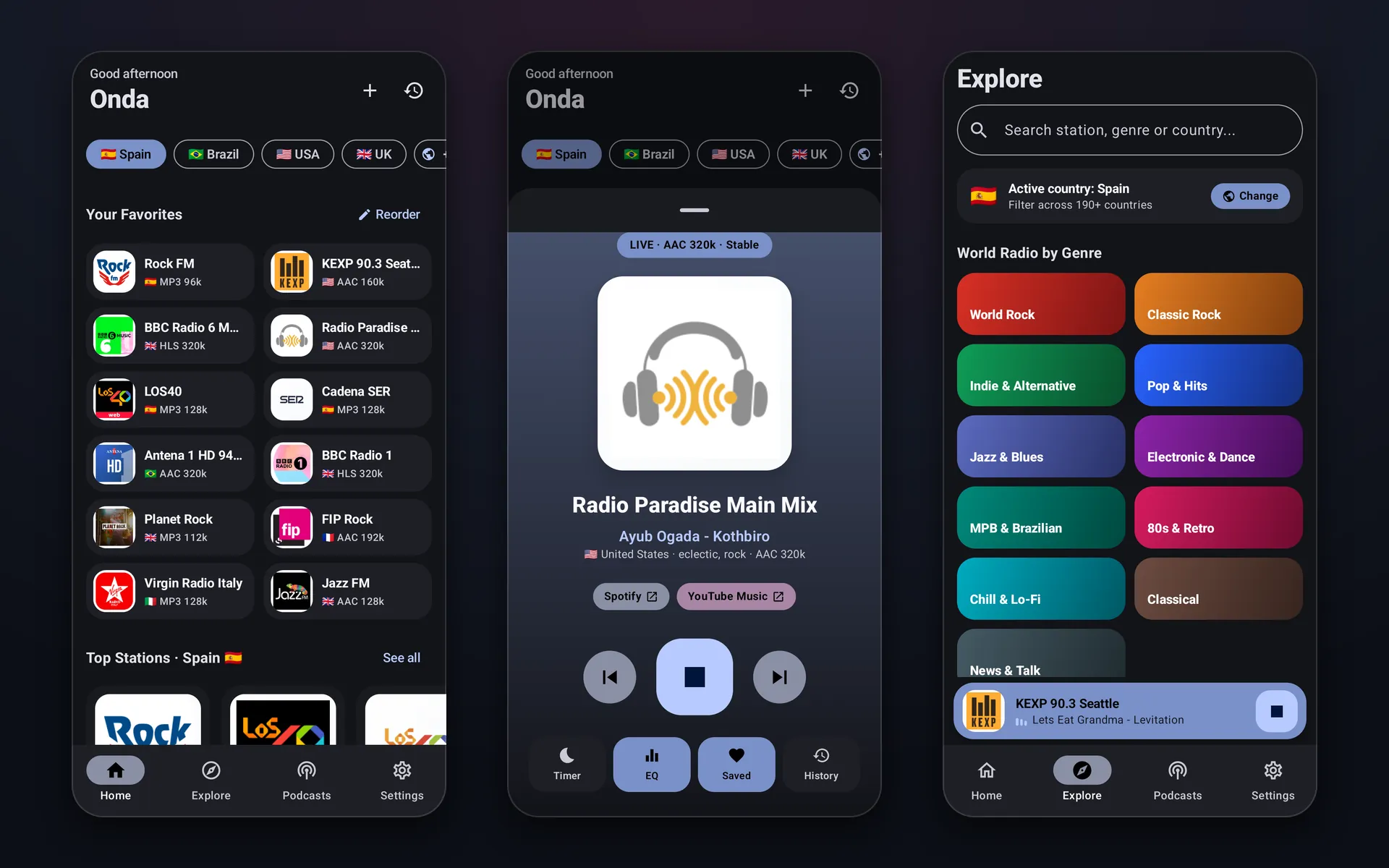
- Android Auto, no hidden menus.
MediaLibraryServiceexposes 4 top-level tabs (Favorites, Explore, Podcasts, Recent) — four on purpose, because a fifth gets shoved into Android Auto's "More" submenu. You get big logo grids, in-car search, Google Assistant voice ("Hey Google, play Cadena SER on Onda"), and context-aware Now Playing buttons: ♥ favorite and Reconnect live for radio;-15s / +30sand speed for podcasts. - Built for tunnels and dead zones. A custom ExoPlayer error policy keeps retrying while the foreground notification stays alive, falls back across stream variants, and gives up fast on dead
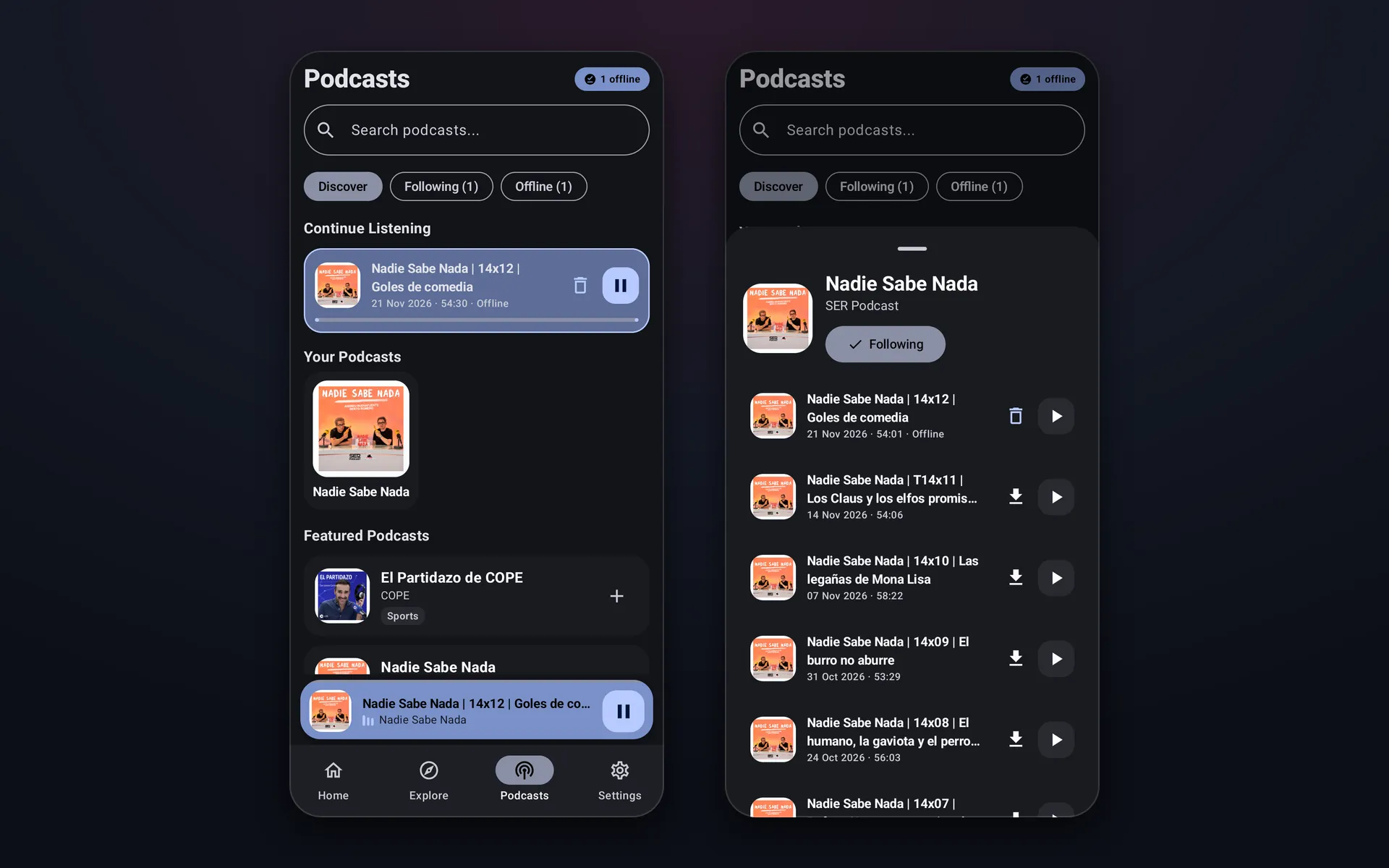
4xxstations. Saved radio-browser URLs refresh on launch, and pressing play after a stop jumps straight back to live instead of replaying a stale buffer. - Podcasts without the bloat. Follow shows, resume from Continue Listening, jump
-15s / +30s, pick0.75×to2×speed, and download episodes offline.
- The extras you actually miss. A 5-band equalizer with presets, loudness boost (
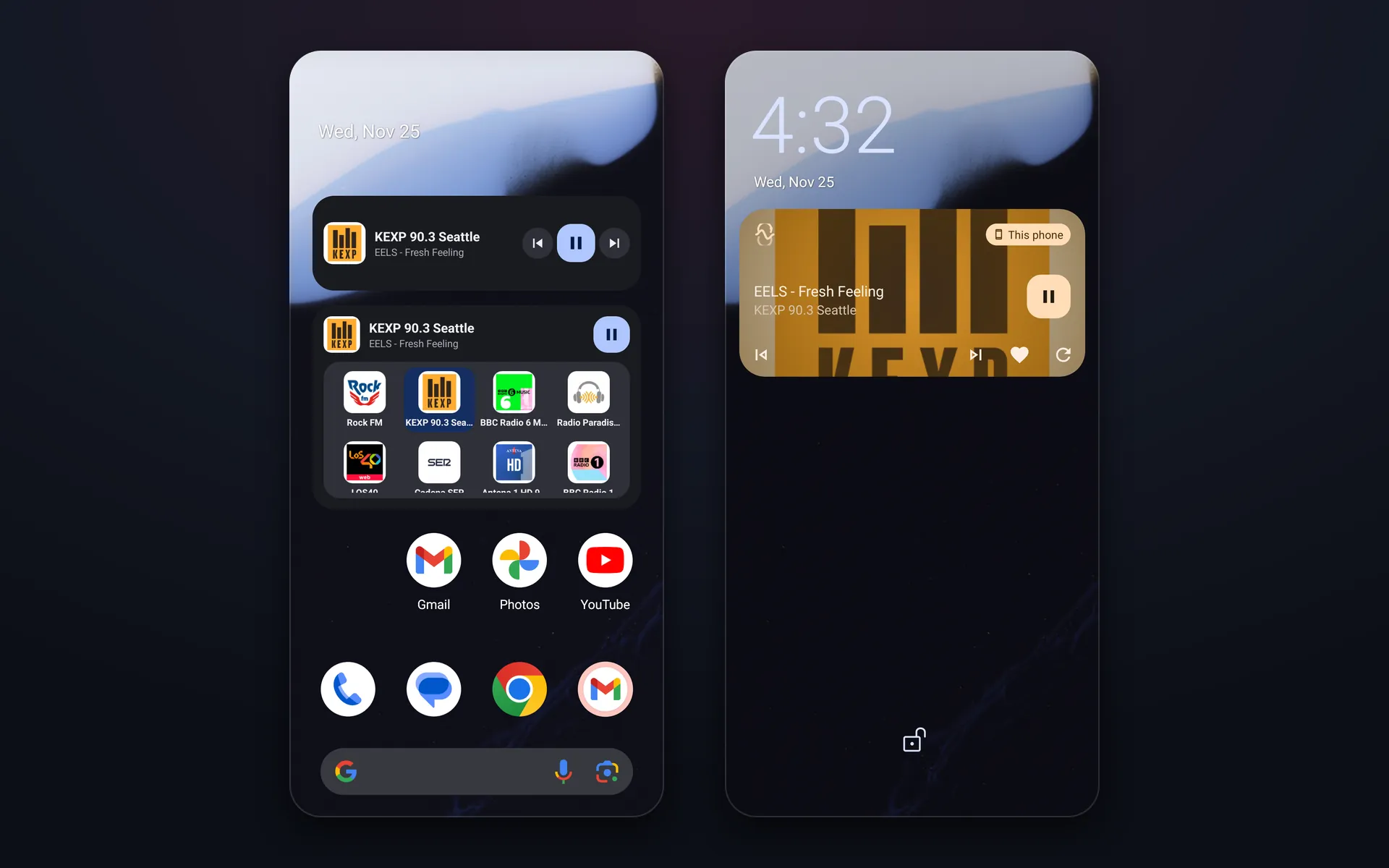
LoudnessEnhancer), sleep timer with fade-out, ICY live song history with one-tap Spotify and YouTube Music links, custom stream URLs, JSON backup export/import, Portuguese/English toggle, and two Material You widgets (4×1compact and4×2favorites grid).
A bit on the testing side 🧪
I'm a Lead QA Engineer, so shipping an app without CI tests felt wrong on principle (even for a side project). Onda runs two layers in GitHub Actions on every push and PR:
- 29 JVM unit tests across 6 suites (JUnit 4, Robolectric,
kotlinx-coroutines-test): HLS detection, stream-variant fallback, favorites/recents/backup round-trips, RSS parsing, settings persistence, monogram fallbacks, and bilingual status strings. Red unit tests →build.ymlnever builds or signs the release APK. - 8 Mobilewright E2E tests (
@mobilewright/test) on a headless Android API 34 emulator (pixel_6): tab navigation, country search, favoriting across a kill-and-relaunch, custom URL validation, Now Playing with Timer and EQ, Podcasts tabs, and settings persistence.
// e2e/tests/favorites-and-custom-radio.test.ts
test('favorites a curated station and persists across app relaunch', async ({ app, device, screen }) => {
  await launchFreshOnda(app, device, screen);
  await expect(screen.getByText('Sem favoritos ainda')).toBeVisible();

  // Scroll to the curated World Rock list and favorite the first station
  const favButton = screen.getByLabel('Favorite ', { exact: false }).first();
  await favButton.scrollIntoViewIfNeeded();
  await favButton.tap();

  // Kill and relaunch without clearing data — favorite must still be there
  await relaunchOnda(device, screen);
  await expect(screen.getByText('Seus Favoritos')).toBeVisible();
  await expect(screen.getByText('Sem favoritos ainda')).toBeHidden();
});
As you can see, if you write Playwright, Mobilewright clicks immediately: tap, kill the app, relaunch, assert state survived. Getting it green in CI only took two small fixes (the emulator runner's working directory and MOBILEWRIGHT_DEVICE_ID instead of ANDROID_SERIAL), and it's stayed green since.
Open source, and how to try it
Everything is MIT licensed at github.com/mcello23/onda (full breakdown on my Personal Projects page). Grab the signed APK from GitHub Releases, or point Obtainium at the repo for automatic updates.
One heads-up for Android Auto: Google hides sideloaded media apps by default, so until the Google Play listing lands (next on the roadmap), flip Unknown sources on once in Android Auto's developer settings and Onda shows up on the dashboard.
Today it's the only radio and podcast app on my phone and in my car. Tap a station, hear the station. Good riddance to three-ad commutes.