
Have you ever opened a slow spec and realized it spends most of its runtime just getting ready to test? We all have!
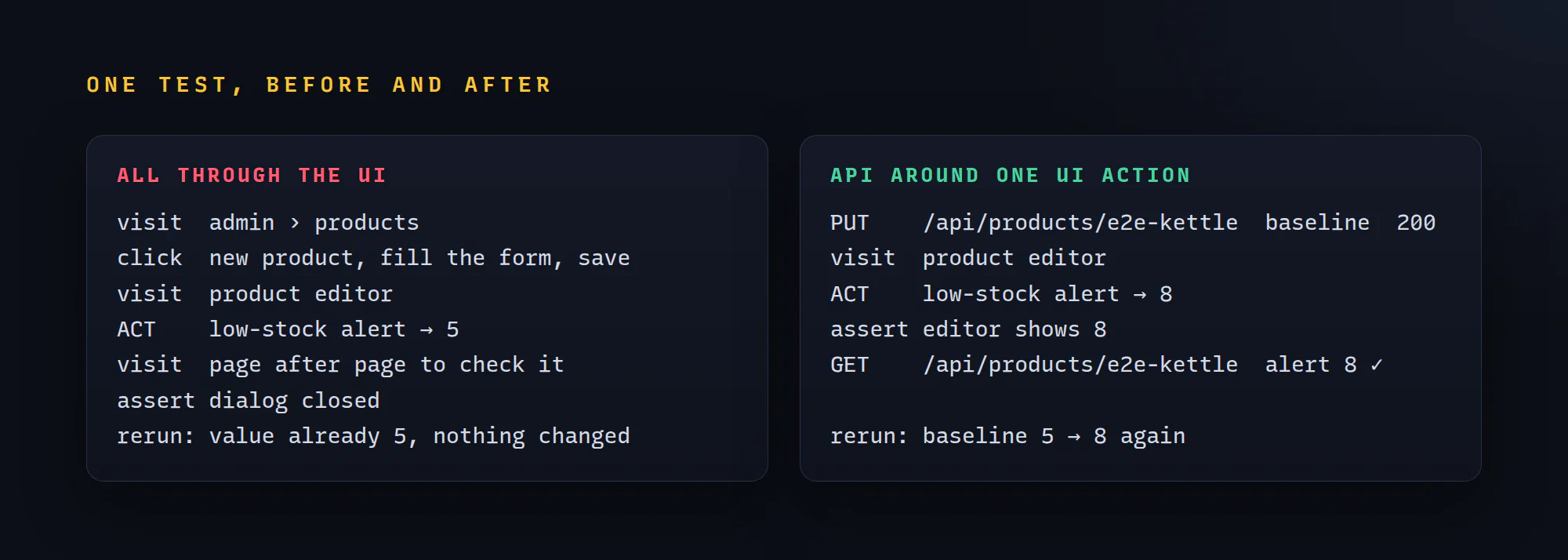
I've inherited specs that checked the result of one action by clicking through page after page of settings screens and editors, in almost every test. Another kept rebuilding through the UI the exact same setup that only its first test was supposed to cover. Neither spec was testing those screens. They were using the UI as a slow, flaky database client.
The rule I follow now
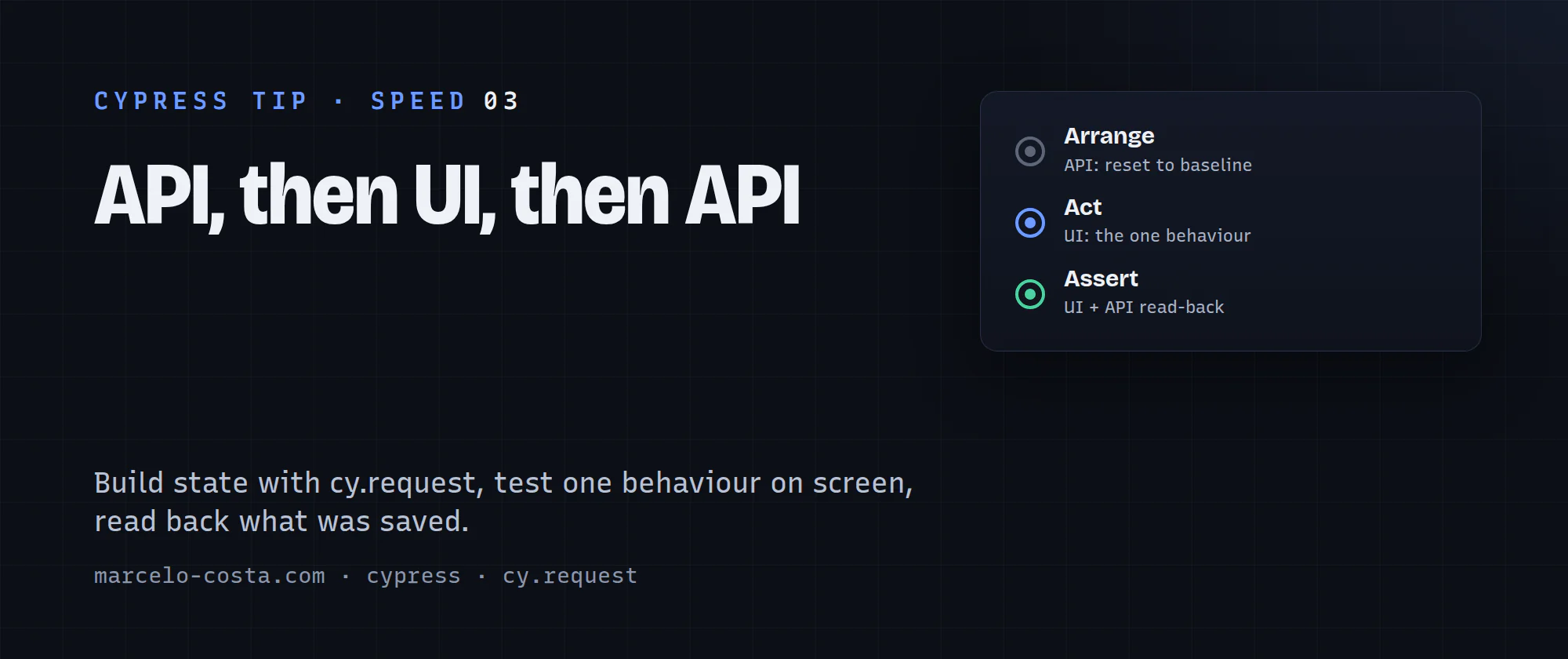
So let's get to the grain here. Every UI test should answer one question about the UI. Everything else belongs on the API:
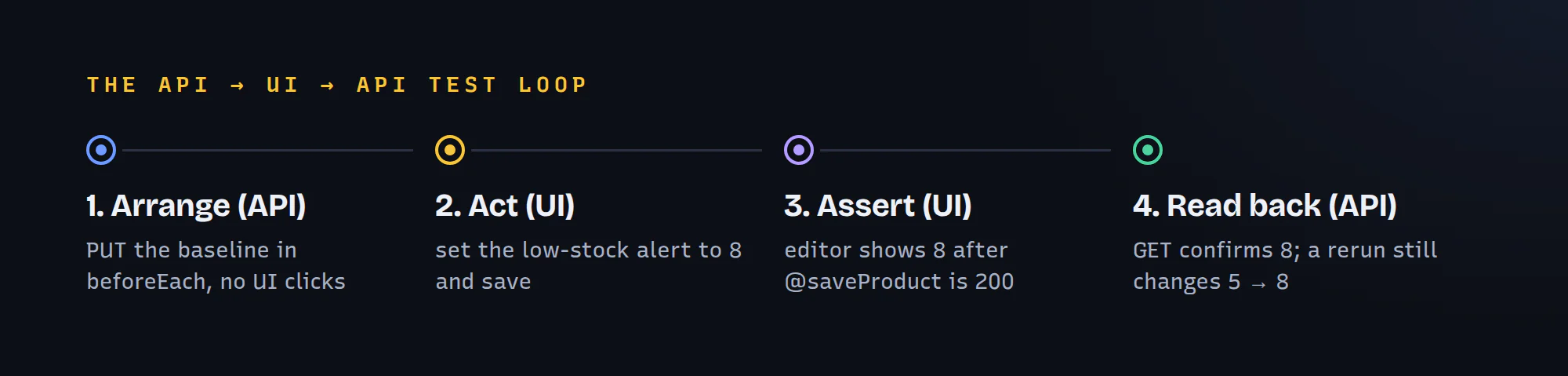
Arrange → API (create, reset, or delete the data the test needs)
Act     → UI  (the one behaviour the test is actually named after)
Assert  → UI for what the user sees, API for what actually got saved
Simple on paper. Huge difference in practice.
Arrange: reset to a known baseline before each test
Picture a spec where every test edits shared products and never puts them back. On a rerun, the test types values that are already stored on the server. The save changes nothing, the assertion sees the old value, and the test turns green without testing a thing.
The fix: beforeEach resets one dedicated product back to a known baseline through the exact same endpoint the editor saves to:
const productId = 'e2e-kettle';
const baseline = { price: 49.9, stock: 20, lowStockAlert: 5 };

beforeEach(() => {
  cy.request('PUT', `/api/products/${productId}`, baseline);
  cy.visit(`/admin/products/${productId}`);
});

it('edits the low-stock alert', () => {
  cy.get('[data-cy="low-stock-alert"]').clear().type('8');
  cy.get('[data-cy="save-product"]').click();
});
Notice the test writes 8, not 5, because 5 is the baseline. Writing the value that's already in the database looks green and proves nothing.
Assert: read back what the UI actually saved
Now, here is where it gets even better. A lot of specs stop at "the dialog closed." Done, ship it.
The first time I added an API read-back to a spec like that, it immediately caught a real bug the UI assertions never saw: the dialog closed, the toast said "Saved", and one item of a multi-select never reached the server.
function expectSavedCartItems(cartId: string, expectedSkus: string[]) {
  cy.request(`/api/cart/${cartId}`).then(({ body }) => {
    const saved = body.items.map((item: { sku: string }) => item.sku).sort();
    expect(saved, `items saved on cart ${cartId}`).to.deep.equal([...expectedSkus].sort());
  });
}
Basically, the helper reads what the server stored, sorts both lists so order doesn't matter, and deep-compares them. When something is off, the error names the exact cart and the missing item instead of leaving you guessing.
Two small wins that add up fast
- Don't visit a page before an API call. It's common to load the app in
beforeEachand then load it all over again in the test.cy.requestdoesn't need a page (just auth). - Don't
cy.logout()beforecy.login()as another user. If your login command already switches sessions, logging out first just buys you an extra identity-provider round trip for nothing.
How I verify it really holds up
Run the spec twice in a row on the same environment. Run 2 has to stay green and actually change data — if an edit test only passes because the expected value was already sitting there, your baseline is missing. Then break the API check on purpose by passing one wrong SKU: it should fail immediately with the cart and the item in the message, not sit around waiting for a UI timeout.
Putting it all together: a full API → UI → API spec
Here is a complete spec, cypress/e2e/product-low-stock.cy.ts, following the pattern from start to finish: reset by API, act once in the UI, verify both the screen and what the server persisted.
const productId = 'e2e-kettle';
const baseline = { price: 49.9, stock: 20, lowStockAlert: 5 };

describe('Product low-stock alert', () => {
  beforeEach(() => {
    cy.login();
    cy.request('PUT', `/api/products/${productId}`, baseline).its('status').should('eq', 200);
    cy.intercept('PUT', `/api/products/${productId}`).as('saveProduct');
    cy.visit(`/admin/products/${productId}`);
  });

  it('edits the low-stock alert and persists the new value', () => {
    cy.get('[data-cy="low-stock-alert"]').clear().type('8');
    cy.get('[data-cy="save-product"]').click();

    cy.wait('@saveProduct').its('response.statusCode').should('eq', 200);
    cy.get('[data-cy="low-stock-alert"]').should('have.value', '8');

    cy.request('GET', `/api/products/${productId}`).then(({ status, body }) => {
      expect(status).to.eq(200);
      expect(body.lowStockAlert, 'persisted lowStockAlert').to.eq(8);
      expect(body.price, 'untouched price').to.eq(baseline.price);
    });
  });
});
Arrange is the PUT in beforeEach, act is the two UI lines, and the test asserts twice: the screen for what the user sees, the GET for what landed in the database. Run it once, run it twice: beforeEach resets the alert back to 5 over the wire in milliseconds, the UI writes 8, and the final GET proves the backend really stored it.
Recap: what you need to do
- Move every setup and reset step into
cy.request()calls insidebeforeEach— never click through config screens just to prepare test state. - Make sure your test writes a value different from the baseline so a green run proves something actually changed.
- Keep UI interaction scoped to the one behaviour the test is named after, then read back the persisted state via API so silent server drops can't hide behind a closed dialog.
- Skip
cy.visit()before pure API calls and skipcy.logout()beforecy.login()when your login command switches users cleanly, then prove it works by running the spec twice in a row.
Are your specs still clicking through three screens just to set up test data? Tell me in the comments — and happy testing!