
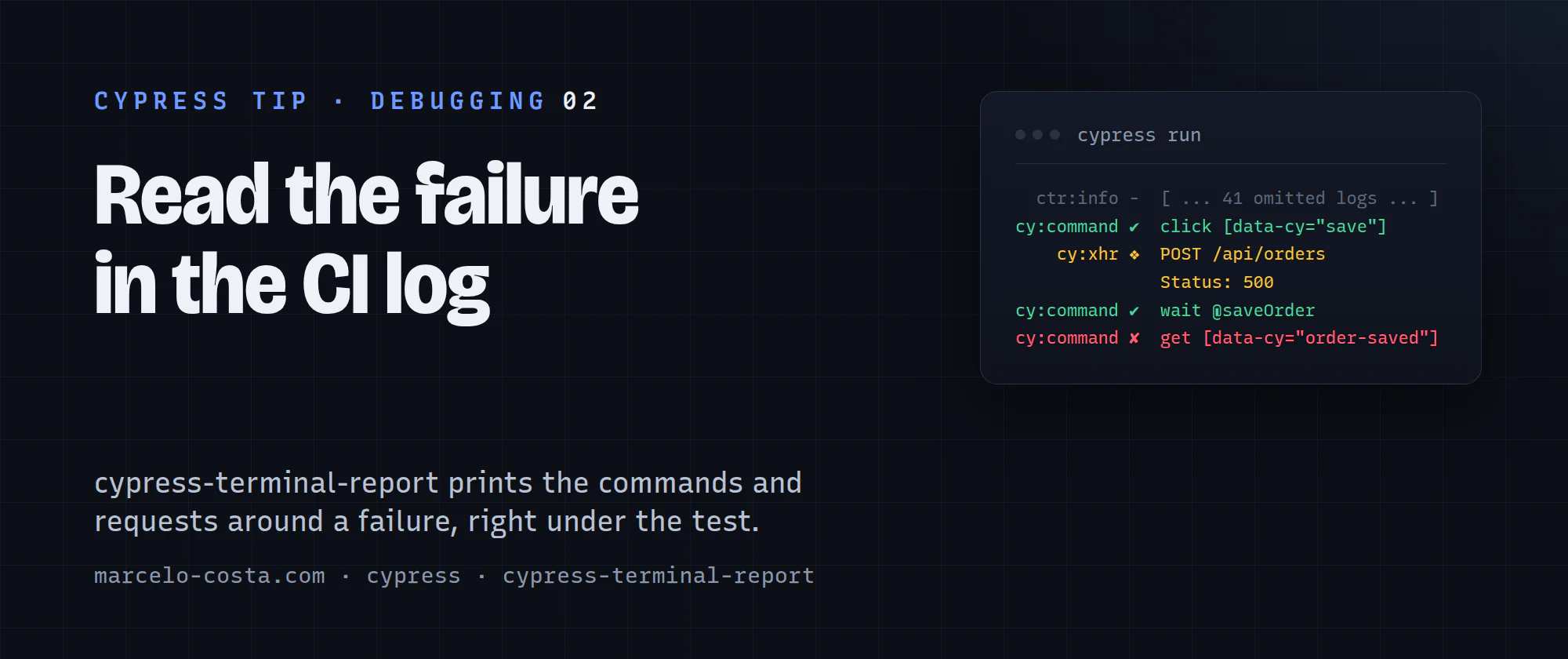
Picture this: a test goes red on CI. You open the job log and get one error line, a stack trace pointing into Cypress internals, and a video you now have to download and scrub through. The command log that would have told you what broke in five seconds lived inside the browser, and the browser is gone.
cypress-terminal-report fixes that. It captures the command log in the browser and prints it under the failing test in your CI terminal: every cy command, every XHR with its status code, every console error from the app.
Two lines to wire it up
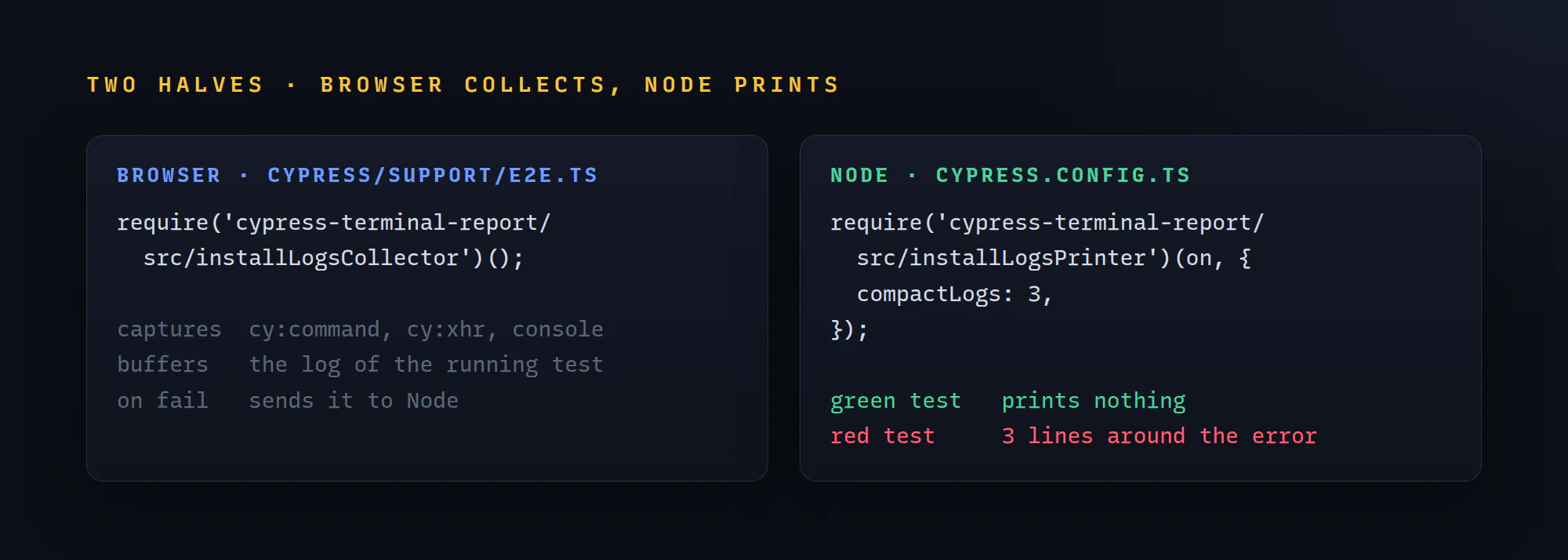
Half of it runs in the browser. Add this to cypress/support/e2e.ts:
require('cypress-terminal-report/src/installLogsCollector')();The other half runs in Node, in setupNodeEvents inside cypress.config.ts:
import { defineConfig } from 'cypress';

export default defineConfig({
  e2e: {
    setupNodeEvents(on, config) {
      require('cypress-terminal-report/src/installLogsPrinter')(on, { compactLogs: 3 });
      return config;
    },
  },
});
That's the whole setup. By default it only prints for failing tests (printLogsToConsole: 'onFail'), so a green pipeline stays as quiet as before.
Why compactLogs: 3?
A long UI test fires hundreds of commands. Printing all of them turns the CI log into a wall of text nobody reads. With compactLogs: 3 you get the three lines before and after each error, and everything else folds into one [ ... 41 omitted logs ... ] line.
Green test         → nothing extra printed
Failed UI test     → 3 lines around the error (the click, the request, the timeout)
API-only specs     → pass {} instead: the tests are short and the requests are the story
If your API-only specs run from their own config file, give that config the printer with {} and keep compactLogs: 3 for the UI one.
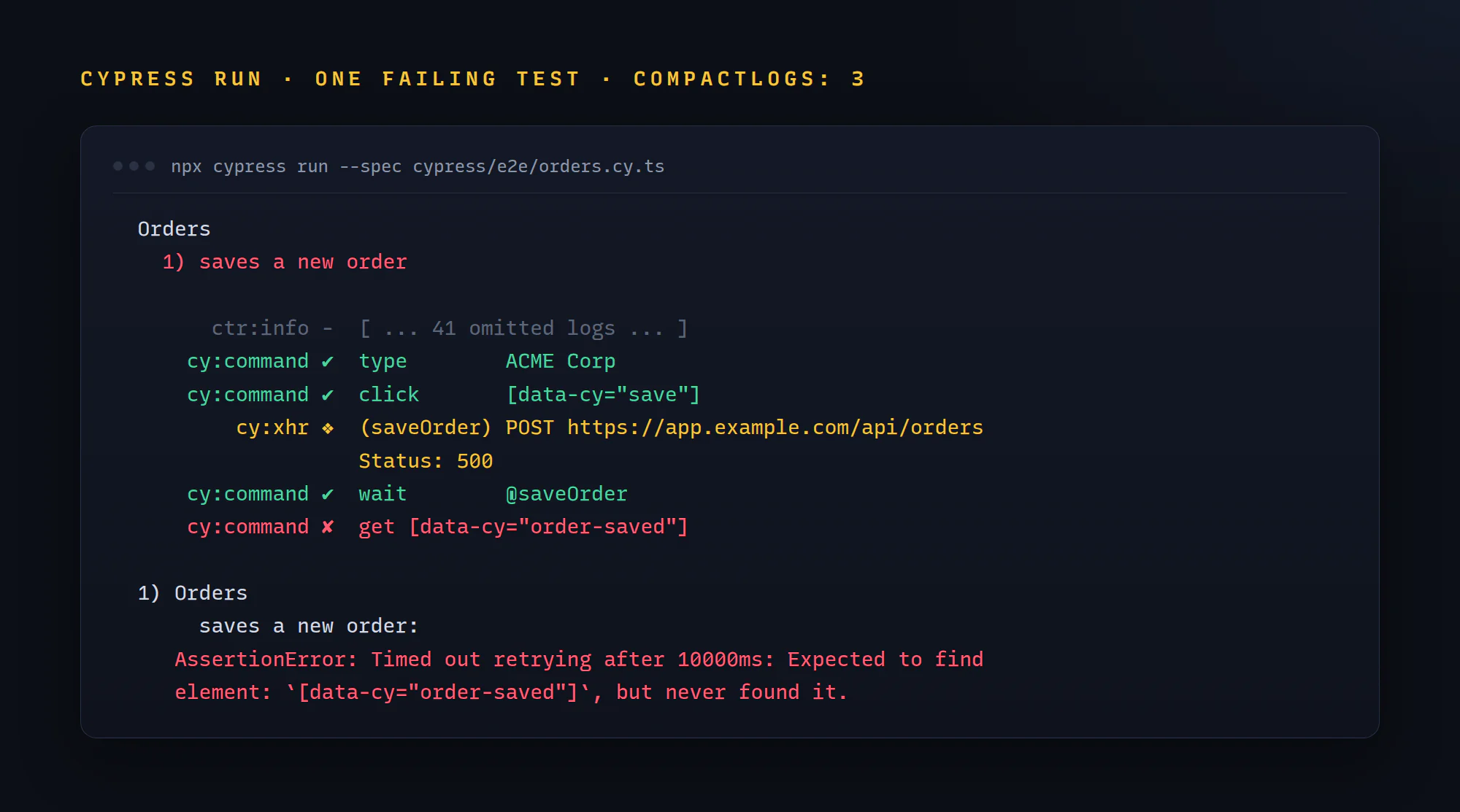
Look at what that output gives you. The get timed out waiting for a confirmation, and two lines above it the save request came back with a 500. That's a server error, not a flaky selector, and you know it in ten seconds without opening a video.
How I check it works
- Break an assertion on purpose (change an expected label to nonsense).
- Run the spec headless:
npx cypress run --spec cypress/e2e/orders.cy.ts. - Under the failing test, look for indented
cy:commandrows marked✔, the broken one marked✘, andcy:xhrlines with aStatus:underneath. - Run a passing spec. Nothing extra should show up.
If a failing test prints nothing extra, the collector didn't load. Check that the support file your config points to actually requires it. The printer alone has nothing to print, and I learned that one the annoying way.
A Windows quirk before you panic
In a local Windows terminal you may see +, x and ~ instead of ✔, ✘ and ➟. The plugin falls back to ASCII symbols on Windows unless it detects CI or an xterm-256color terminal. Same logs, plainer icons. Don't spend ten minutes reinstalling it.
Recap
- Install
cypress-terminal-reportas a dev dependency. - Load the collector in
cypress/support/e2e.ts. - Register the printer in
setupNodeEventswith{ compactLogs: 3 }for UI specs, and{}for short API-only specs. - Break one assertion and run headless once: failing tests print
cy:commandandcy:xhrlines under the error, passing tests stay silent.
The video is still there for the weird cases. Most days, the few lines above the error are all you need. Happy testing!