
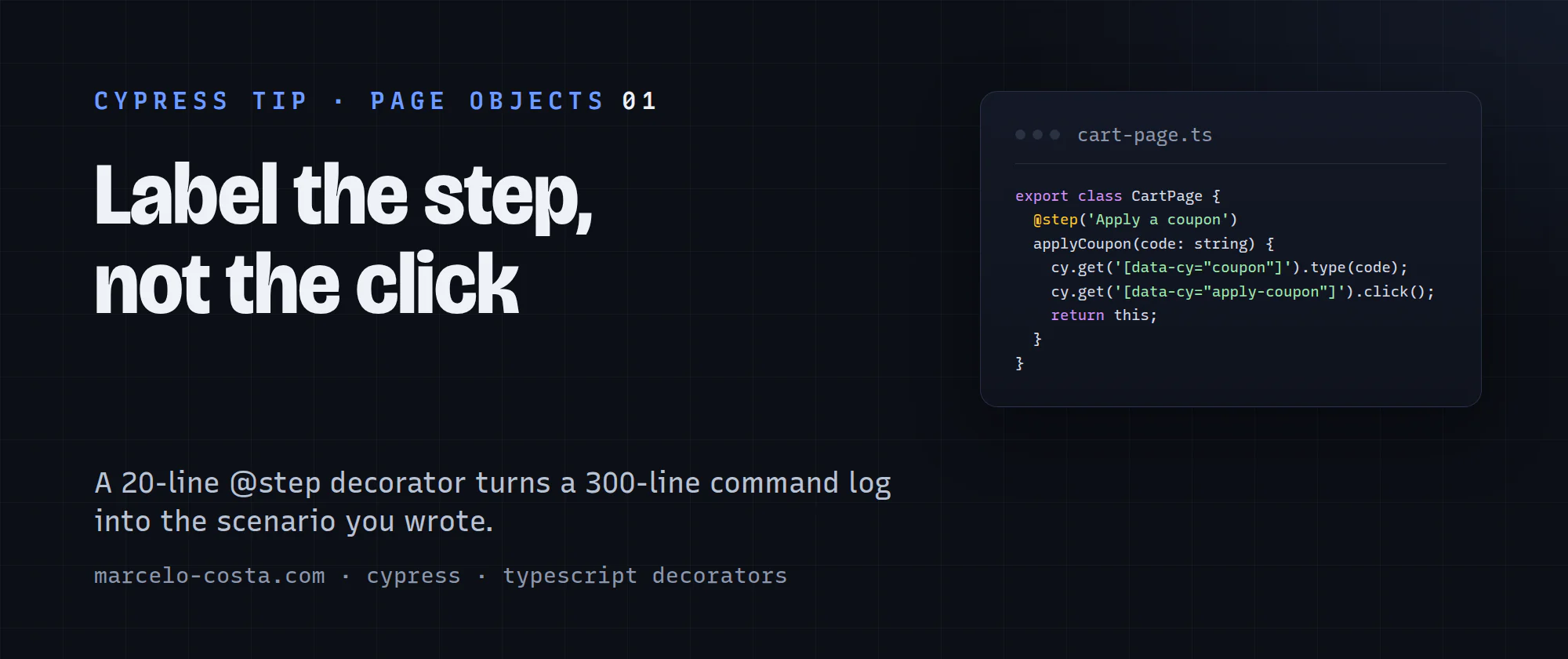
This is the first post in a series of short Cypress tips: one tool or pattern from my day job per post, small enough to read with a coffee.
Have you ever opened a failed run and scrolled through 300 lines of get, click, should, and xhr trying to figure out what the test was even doing when it broke? We all have!
The command log is great at telling you what Cypress clicked. What it doesn't tell you is which business step of the scenario blew up. The fix I use at work is a small TypeScript decorator on every page-object method. It's about 20 lines, and it scales to thousands of methods without anyone touching a spec.
The 20-line decorator
So let's get to the grain here. Put this in cypress/support/step.ts and import it once from cypress/support/e2e.ts:
const steps: string[] = [];

beforeEach(() => {
  steps.length = 0;
});

Cypress.on('fail', (error) => {
  error.message += `\n\nSteps:\n${steps.map((label, i) => `${i + 1}. ${label}`).join('\n')}`;
  throw error;
});

export function step(label: string) {
  return function (_target: object, _key: string, descriptor: PropertyDescriptor) {
    const original = descriptor.value;
    descriptor.value = function (...args: unknown[]) {
      cy.then(() => {
        steps.push(label);
        Cypress.log({ name: 'step', displayName: '▶', message: `**${label}**` });
      });
      return original.apply(this, args);
    };
    return descriptor;
  };
}
Turn on "experimentalDecorators": true in tsconfig.json, and label your page-object methods:
export class CartPage {
  @step('Apply a coupon')
  applyCoupon(code: string): this {
    cy.get('[data-cy="coupon"]').type(code);
    cy.get('[data-cy="apply-coupon"]').click();
    return this;
  }
}
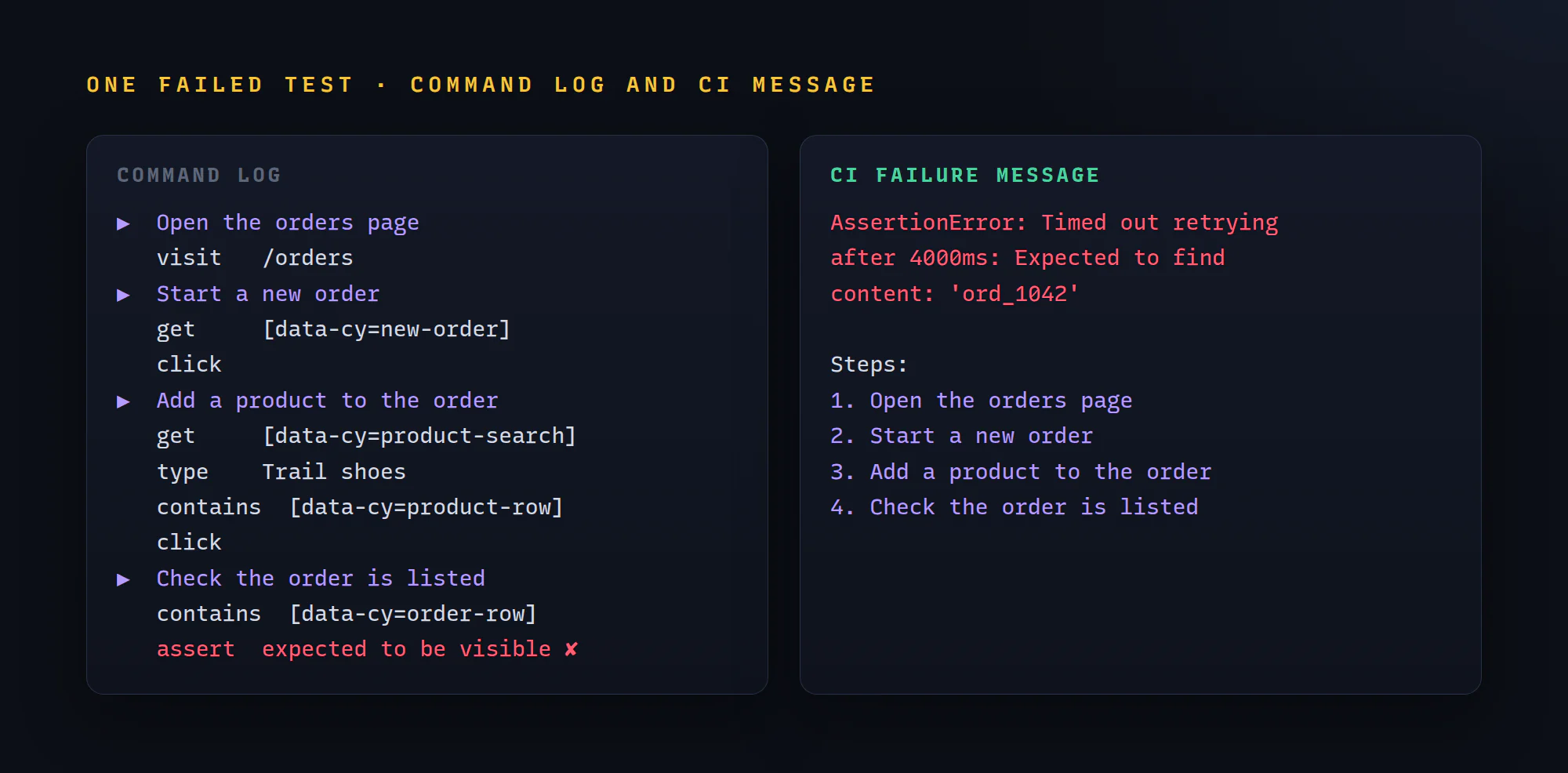
The spec doesn't change by a single line. Every call to applyCoupon() now opens with a bold ▶ row in the command log.
Two details that make it work
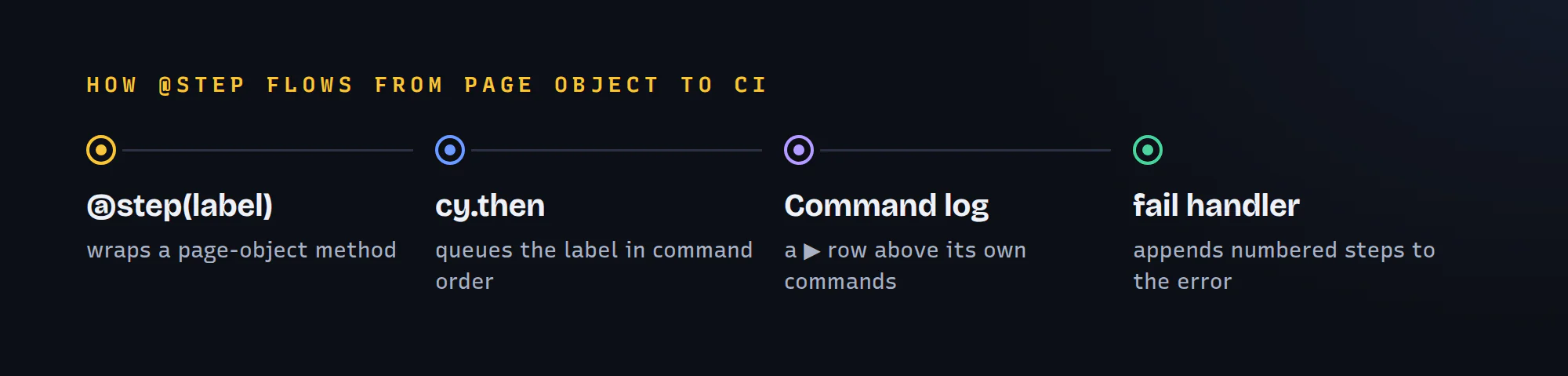
The log goes through cy.then. Page-object methods run synchronously while the test body is still queueing commands. Call Cypress.log directly and every step row lands at the top of the log, before the commands it describes. Inside cy.then it joins the queue, so each label sits right above its own get and click.
The fail handler appends the steps to the error. Whatever reads the error gets the scenario for free: the terminal, the JUnit file, the CI test tab, your HTML report. No reporter plugin needed.
How I check it's wired up properly
- Run any spec in
cypress open. Every page-object call should open with a▶row, directly above its own commands. If all the rows pile up at the top, theCypress.logcall escaped thecy.then. - Break one assertion and run headless. The error in the terminal should end with
Steps:and a numbered list, starting from 1 for each test (that's what thebeforeEachreset is for, retries included). - Every now and then, list the page-object methods without
@step. A few lines with the TypeScript compiler API do it. Treat it as an audit, not a gate.
The one gotcha that will bite you
Decorators execute when the class is evaluated, meaning at import time, not when a test calls the method. If step sits inside an import cycle, it can still be undefined at that moment, and the whole spec file crashes before registering a single test. Ask me how I know 😉. I wrote up how that crash looks and how to hunt down the cycle.
Putting it all together in a full spec
Here is a complete page object and spec using @step end to end:
// cypress/pages/orders-page.ts
import { step } from '../support/step';

export class OrdersPage {
  @step('Open the orders page')
  visit(): this {
    cy.visit('/orders');
    return this;
  }

  @step('Start a new order')
  startOrder(): this {
    cy.get('[data-cy="new-order"]').click();
    return this;
  }

  @step('Add a product to the order')
  addProduct(name: string): this {
    cy.get('[data-cy="product-search"]').clear().type(name);
    cy.contains('[data-cy="product-row"]', name).find('[data-cy="add"]').click();
    return this;
  }

  @step('Check the order is listed')
  shouldList(orderId: string): this {
    cy.contains('[data-cy="order-row"]', orderId).should('be.visible');
    return this;
  }
}
// cypress/e2e/orders.cy.ts
import { OrdersPage } from '../pages/orders-page';
const orders = new OrdersPage();
describe('Orders', () => {
beforeEach(() => {
cy.intercept('POST', '/api/orders').as('createOrder');
});
it('creates an order and lists it', () => {
orders.visit().startOrder().addProduct('Trail shoes');
cy.wait('@createOrder').then(({ response }) => {
expect(response?.statusCode).to.eq(201);
orders.shouldList(response?.body.id);
});
});
});Run it and the command log reads like the scenario: four ▶ rows, top to bottom, each with its own commands underneath. Break shouldList and the CI output ends with the four steps, numbered.
Recap: what you need to do
- Turn on
"experimentalDecorators": trueintsconfig.json. - Add the
@step()decorator incypress/support/step.tsand import it fromcypress/support/e2e.ts. - Log each step inside
cy.then, so it lands in order, and reset the list inbeforeEach. - Append the steps to the error in
Cypress.on('fail'), so every reporter and CI tab shows them. - Decorate page-object methods (not specs), and keep
step.tsout of import cycles.
Label the steps once in your page objects, and every spec in the repo gets a readable log for free. How are you keeping your Cypress logs readable on big suites? Leave me a comment, I'd love to hear!
Next: getting that command log straight into your CI terminal output so you stop downloading videos for every 500 error.